Help · Documents and sharing
From a finished record to something you can send
A completed job sheet becomes a branded PDF, and on the paid plans an invoice built from the same figures. This is what happens at each step, and what the free plan holds back.
Can I send a job sheet on the free plan?
No. The free plan includes 2 job sheets, documents carry a Day Worksheet watermark and sending or sharing from the app is disabled. It is there so you can test the recording workflow on a real job. Upgrade to Basic or Premium inside the app to remove the watermark and send documents with your own branding.
What happens when you finish a job
Check the totals
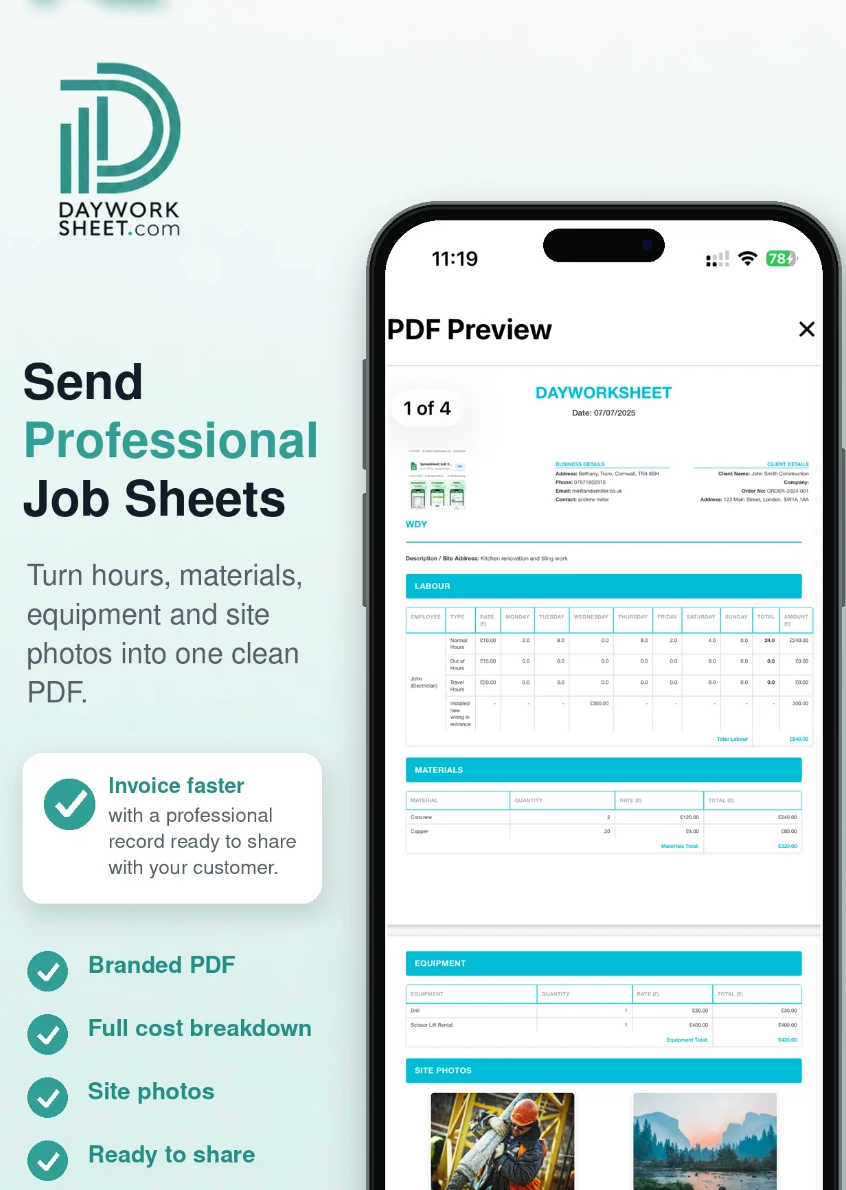
Labour, materials and equipment are totalled from what you recorded, with VAT and CIS applied from your business profile settings. Review the figures before anything leaves your phone.
Produce the document
The record becomes a job sheet PDF carrying your logo and brand colours. On the paid plans you can also raise an invoice from the same job rather than retyping the figures.
Send or share it
On a paid plan you email or share the PDF straight from the app, so the customer has it before you have left the street.
Keep the record
Keep a copy of sent paperwork in your own secure filing, alongside your other business records.
What each plan allows
| Plan | Job sheets | Invoices | Watermark | Sending & sharing | Images per sheet |
|---|---|---|---|---|---|
| Free — £0 | 2 job sheets | Check in app | Watermarked | Disabled | Up to 4 per sheet |
| Basic — £4.99 per month | 25 each month | Included | No watermark | Send and share | Up to 4 per sheet |
| Premium — £9.99 per month | 100 each month | Included | No watermark | Send and share | Up to 4 per sheet |
Where a row says “Check in app”, open the app on your device to confirm what your plan includes.
Invoicing questions
Can I create invoices in Day Worksheet?
Basic and Premium include invoice creation from a completed job sheet. The app totals labour, materials and equipment and produces a branded PDF you can email, share or save from your phone. Check the Free plan details in the app.
Does the app calculate VAT and CIS?
Yes. Day Worksheet calculates hours, costs, CIS and VAT from the details you enter and the settings on your business profile. Always check the figures before sending, as you remain responsible for their accuracy.
Can the customer sign the work off?
Yes. The app supports electronic signatures, so the customer can sign against the completed work on site before you leave.
Can I record several operatives on one job?
Yes. You can add multiple operatives with different trades and rates to the labour costs, and keep day work separate from priced work.
If a document does not arrive, check the recipient details you entered and your connection, then try again. If it keeps happening email contact@dayworksheet.com with the job reference and what you tried.
Less paperwork. Better records.
Finish the job, get paid quicker.
Record the work in one place, then turn the details into professional job sheets and invoices ready to send from your phone. The free plan includes 2 job sheets. They are watermarked and cannot be sent or shared until you upgrade.

 Scan with your iPhone or iPad

 Scan with your Android phone
Download the app, then register inside it. There is no separate website sign-up.