Invoicing
Invoice from the job, not from the kitchen table
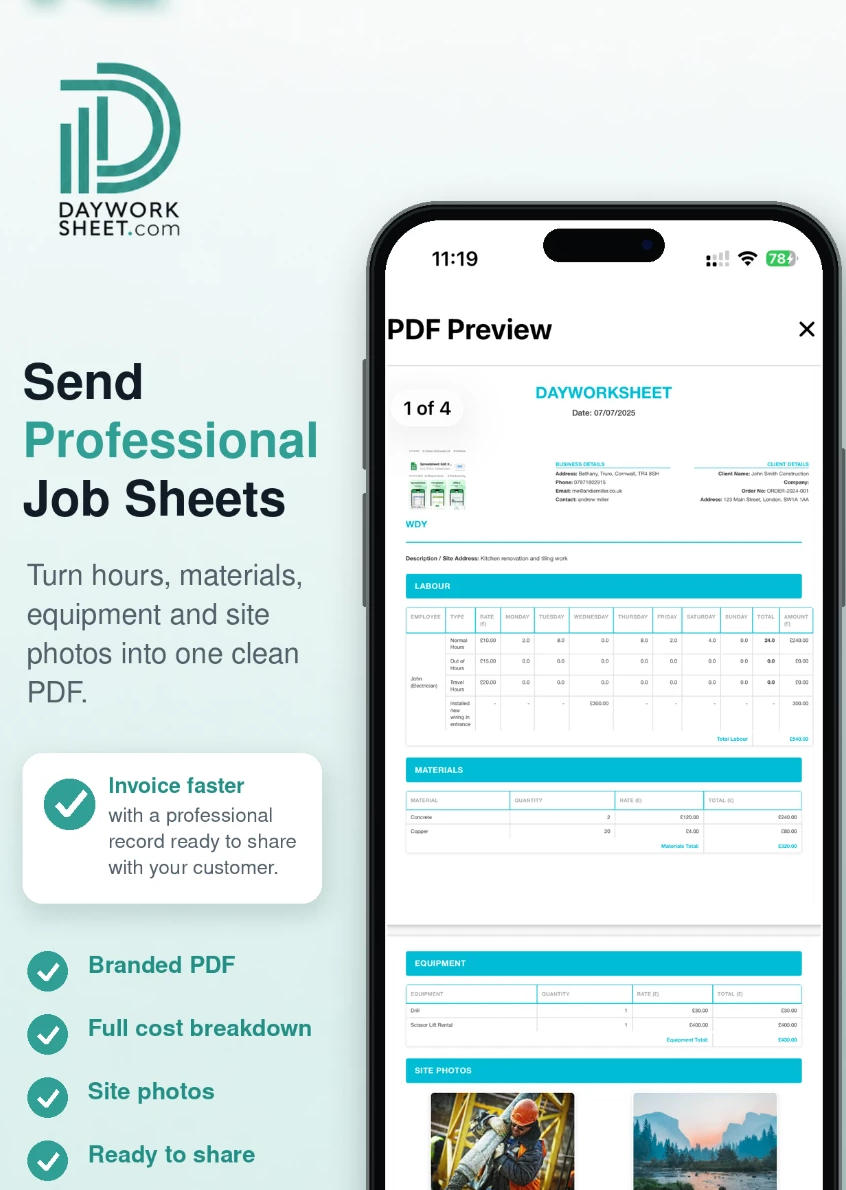
Day Worksheet turns the job sheet you have already completed into a professional invoice, with hours, materials, equipment, VAT and CIS totalled for you.


Download the app, then register inside it. There is no separate website sign-up.
Can Day Worksheet create invoices?
Yes. Once a job sheet is complete you generate an invoice from it in one step. The app totals labour, materials and equipment, and calculates hours, costs, CIS payments and VAT from your settings. The invoice is produced as a branded PDF you can email, share or save from your phone.
The run through
From site to sent invoice in four steps
Finish the job sheet
Labour per operative, materials, equipment, quantities, prices and photos, recorded as the work happens.
Generate the invoice
Totals, VAT and CIS are calculated from what you entered. No spreadsheet, no adding up in the van.
Sign off on site
Take the customer's electronic signature against the work before you leave.
Send and get paid
Email or message the PDF straight away, and keep a copy on your device.
Tax and deductions
VAT and CIS worked out with the job
Subcontractors invoicing under the Construction Industry Scheme need the deduction shown clearly, and VAT registered trades need the tax stated correctly. Day Worksheet calculates hours, costs, CIS payments and VAT from the rates and settings held on your business profile.
- Automatic totals for labour, materials and equipment
- CIS deduction calculated on the invoice
- VAT calculated from your business settings
- Day work and price work kept separate
Please check every figure before you send. You remain responsible for the accuracy of the amounts and the information entered into the app.
Your paperwork, your name on it
Invoices that look like your business
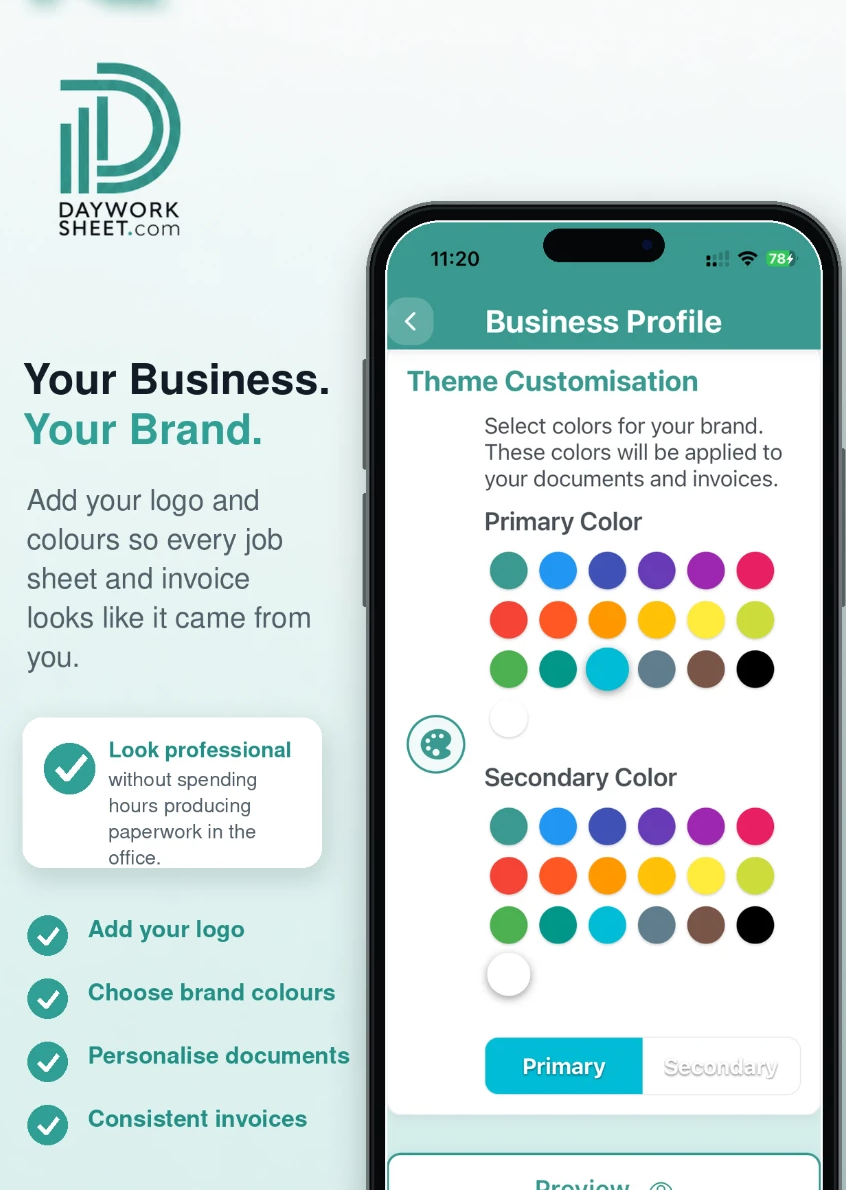
Add your logo, colours and company details once. Every job sheet and invoice you produce carries them, so the customer receives a document that looks the part rather than a photo of a handwritten sheet.
- Your logo and brand colours
- Your company and contact details
- Customer sign-off held with the record
- Every invoice saved on your device
Invoicing on each plan
| Plan | Job sheets | Invoices | Watermark | Sending & sharing | Images per sheet |
|---|---|---|---|---|---|
| Free — £0 | 2 job sheets | Check in app | Watermarked | Disabled | Up to 4 per sheet |
| Basic — £4.99 per month | 25 each month | Included | No watermark | Send and share | Up to 4 per sheet |
| Premium — £9.99 per month | 100 each month | Included | No watermark | Send and share | Up to 4 per sheet |
Invoicing questions
What trades ask us about invoicing
How do I create an invoice from a job sheet?
Complete the job sheet with labour, materials and equipment, then generate the invoice. The app carries the recorded work across and totals it, so you are not re-typing the job a second time.
Does the app calculate VAT?
Yes. Day Worksheet calculates hours, costs, CIS payments and VAT from the details you have entered and the settings held on your business profile. You remain responsible for checking the figures before you send an invoice.
Does it handle CIS deductions?
Yes. CIS is one of the calculations the app performs alongside hours, costs and VAT, which matters for subcontractors invoicing a contractor under the Construction Industry Scheme.
Can I send the invoice from site?
Yes. Invoices are produced as a PDF you can email, share by message or save to your phone before you leave the job.
Is invoicing included on the free plan?
Invoicing is included on Basic at £4.99 a month and Premium at £9.99 a month, with no watermark. The free plan is for trying the recording workflow — its 2 job sheets are watermarked and cannot be sent. Check the Free plan details in the app.
Can invoices carry my own branding?
Yes. Add your logo, brand colours and business details in your profile and both job sheets and invoices are produced in your own branding.
Less paperwork. Better records.
Finish the job, get paid quicker.
Record the work in one place, then turn the details into professional job sheets and invoices ready to send from your phone. The free plan includes 2 job sheets. They are watermarked and cannot be sent or shared until you upgrade.
 Scan with your iPhone or iPad
 Scan with your Android phone
Download the app, then register inside it. There is no separate website sign-up.