Mobile job sheet software
A job sheet app built around work on site.
Day Worksheet replaces scattered notes with one clear record you can review, turn into a PDF and send.


Download the app, then register inside it. There is no separate website sign-up.
What is a job sheet app?
A job sheet app is a mobile app used to record a job on site — the hours worked, the materials and equipment used, and photographs of the work — and to turn that record into a document the customer can be sent. Day Worksheet does this on iPhone and Android, with prices in GBP and a Free plan to start.
What can a digital job sheet include?
The app keeps the job details together instead of leaving hours in one place, photos in another and costs in somebody’s memory.
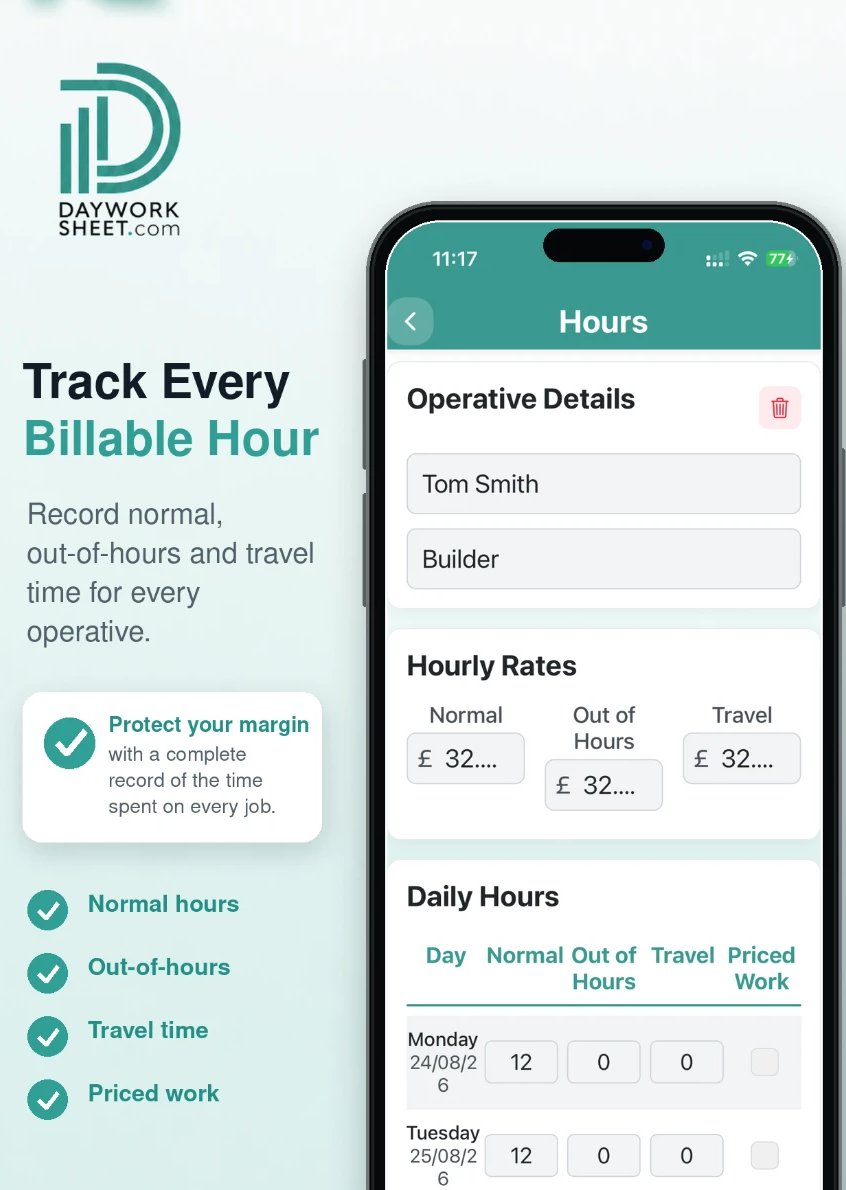
- Record normal, out-of-hours and travel time
- Add materials, equipment, quantities and prices
- Attach site photos and descriptions
- Create branded job sheet and invoice PDFs
Which trades is it for?
Electricians
Hours per board or circuit, cable and accessories used, before and after photos of the work.
Plumbers and heating engineers
Callout time, parts fitted, boiler and system photos before and after.
Builders and groundworkers
Day work records for labour, plant and materials on variation work.
Maintenance and facilities teams
Repeat visits to the same site with a clear record for each attendance.
Roofers and external works
Weather-affected hours, access equipment and proof photos from height.
Small trade teams
Several operatives on one job sheet with their own hours and rates.
Job sheet app at a glance
| Detail | Day Worksheet |
|---|---|
| Platforms | iPhone (App Store) and Android (Google Play) |
| Free plan | Yes — 2 job sheets with watermarked PDFs and sending disabled |
| Paid plans | Basic £4.99 per month, Premium £9.99 per month |
| Photos | Up to 4 images per job sheet |
| Documents | Job sheet PDFs; invoices on the paid plans |
| Branding | Your logo and brand colours on documents |
| Billing | Handled by Apple or Google |
| Region | Built in the UK, prices shown in GBP |
Less paperwork. Better records.
Finish the job, get paid quicker.
Record the work in one place, then turn the details into professional job sheets and invoices ready to send from your phone. The free plan includes 2 job sheets. They are watermarked and cannot be sent or shared until you upgrade.
 Scan with your iPhone or iPad
 Scan with your Android phone
Download the app, then register inside it. There is no separate website sign-up.