
Help · Getting started
From download to your first finished job sheet
Five steps, in order. Set up the business profile before your first job so your documents come out branded from the start.


Download the app, then register inside it. There is no separate website sign-up.
1. Download and register
Get the app from the App Store or Google Play and create your account inside the app. There is no separate website sign-up to complete first.
2. Fill in your business profile
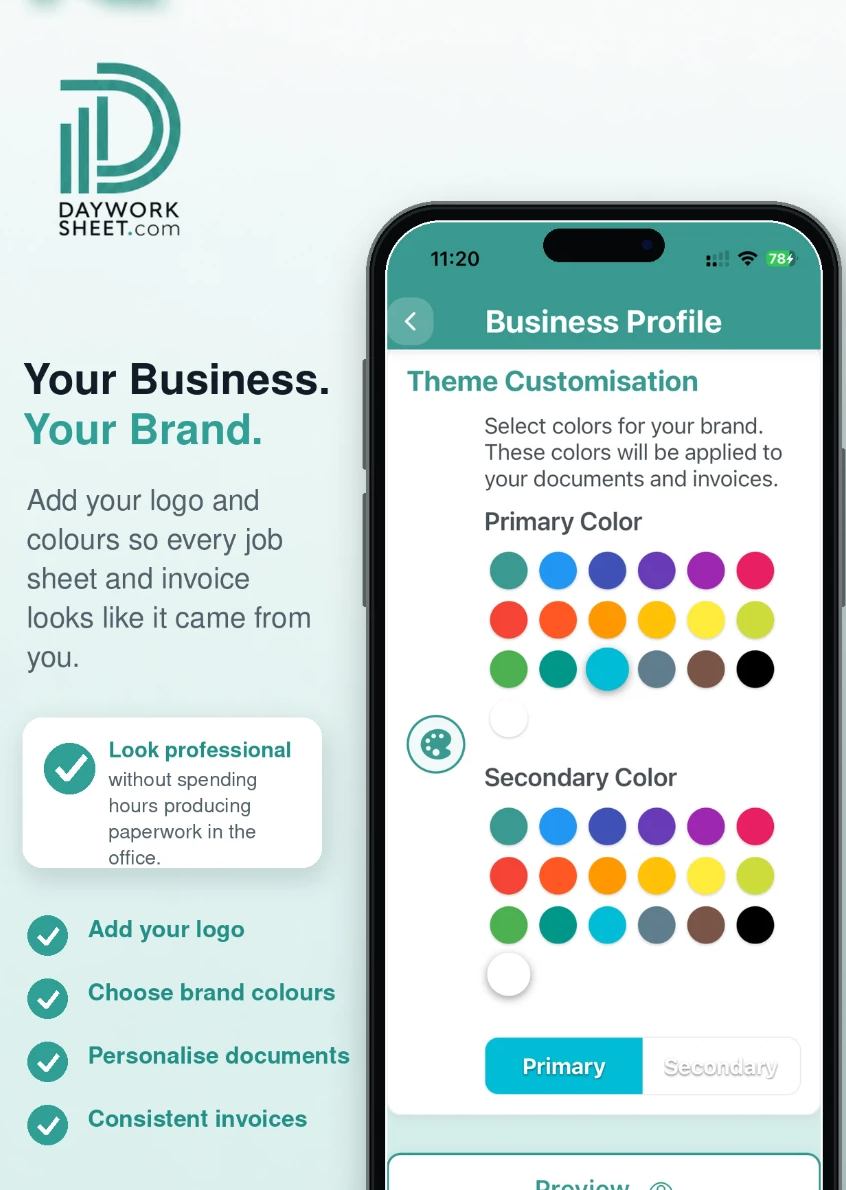
Add your business name, contact details, logo and brand colours. This is what appears on the documents your customer receives, so it is worth doing before your first real job rather than after it.
3. Set your rates and tax settings
Enter your labour rates and your VAT and CIS settings. The app uses these to total the job as you record it. Check the resulting figures on your first document — the calculations follow your settings, and the settings are yours to get right.
4. Record a job
Try the workflow on a current job, or on a typical job of your own as a test, so you can see how it fits the way you work.
5. Decide before you send
The free plan gives you 2 job sheets, documents are watermarked and sending or sharing is disabled. When you are happy with the record, upgrade inside the app to send documents with your own branding and no watermark.
Do I need to pay to try Day Worksheet?
No. The free plan includes 2 job sheets. Those documents are watermarked, and sending or sharing from the app is disabled. See the pricing page for what each plan includes.
Set these up before your first job
| Setting | Why it matters |
|---|---|
| Business name and contact details | They appear on every document the customer receives |
| Logo and brand colours | Without them the paperwork looks generic |
| Labour rates | Hours are priced from these as you record |
| VAT setting | Totals are calculated from your own configuration |
| CIS setting | Only relevant if you work under the scheme — check it before you invoice |
| Customer details | Saves retyping on every repeat visit |
Stuck on setup? Email contact@dayworksheet.com with your device and what you are seeing. Subscription and refund questions go to Apple or Google, because that is where the purchase is made.
Less paperwork. Better records.
Finish the job, get paid quicker.
Record the work in one place, then turn the details into professional job sheets and invoices ready to send from your phone. The free plan includes 2 job sheets. They are watermarked and cannot be sent or shared until you upgrade.
 Scan with your iPhone or iPad
 Scan with your Android phone
Download the app, then register inside it. There is no separate website sign-up.