
Skip to content

Help · Recording work

What to put on a job sheet, and when to put it there

The record is only as good as what went into it on site. Here is a practical order to work through, and the details worth capturing while you are still there.

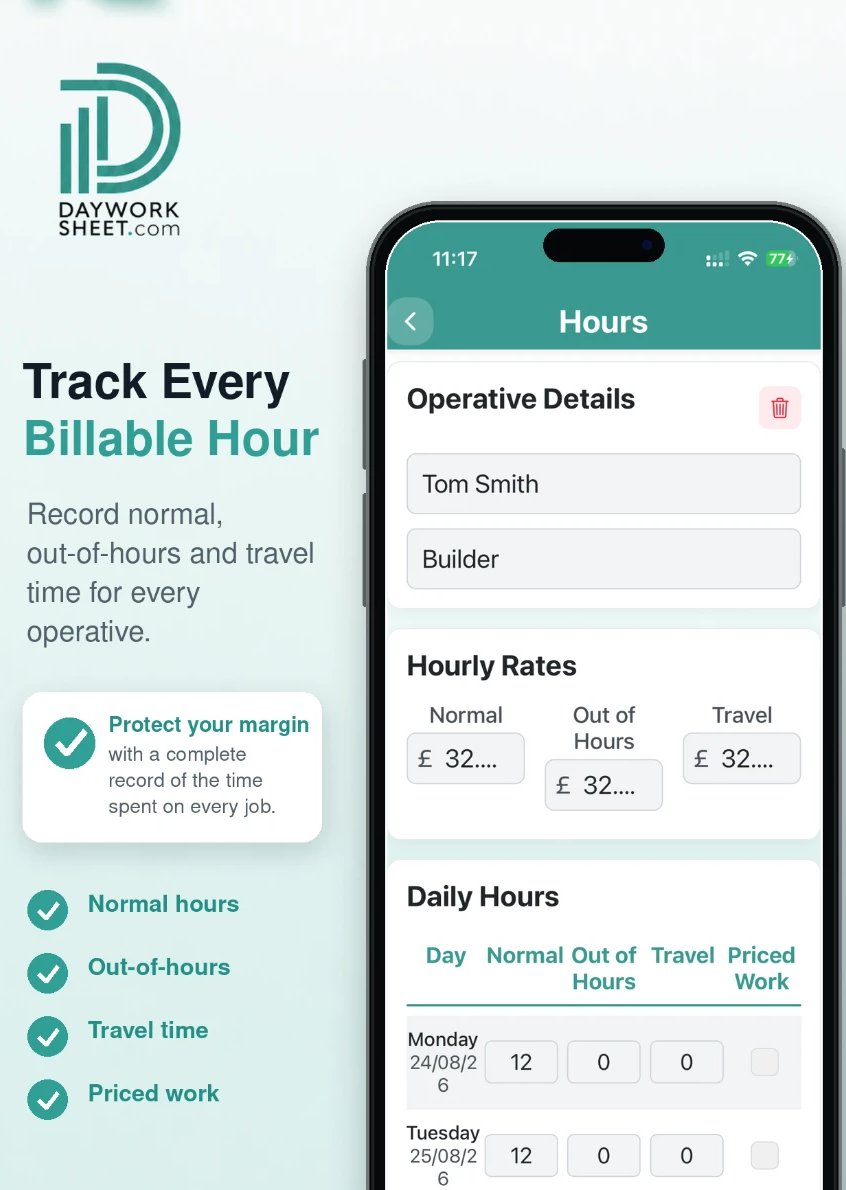
Day Worksheet hours screen showing operative details, hourly rates and daily hours
Hours are recorded per operative against the job, with the rates held on your business profile.

What should a job sheet include?

A job sheet should record who worked and for how long, at what rate, the materials and equipment used with quantities, a plain description of the task and its location, photographs of the condition before and after, and an acknowledgement from the customer. Recorded on site, those details stay with the job when you come to invoice it.

Labour and operatives

Add each person who worked, with their trade and rate, and the hours they put in. Several operatives can sit on one job sheet with their own rates, so a gang day does not need a sheet per person.

  • Record hours while you are still on site, not from memory that evening
  • Keep day work separate from priced work so the valuation basis is obvious
  • Name the person, not just the trade, when more than one attended

Materials and equipment

List what was used with quantities. Plant and equipment go in with the units they were charged on. Add each item as you use it, so nothing is missing when you total the job.

  • Write quantities as they were used, not as they were ordered
  • Include plant hire and access equipment where the job was valued on resources
  • Describe the item plainly — the customer has to recognise it

Photos

You can attach up to 4 images to a job sheet. Before and after shots of the same position are worth more than four photos of the finished work.

  • Photograph the condition you found before you disturb it
  • Get one wide shot for context and one close shot for detail
  • Photograph anything you are going to cover up

Description of the work

Describe the task, the location on site and why it was needed. A reviewer months later has none of the context you have right now.

  • Say who requested any extra work and when
  • Name the room, circuit, plot or position
  • Avoid shorthand nobody outside your van would follow

Customer signature

The app supports electronic signatures, so the customer can sign against the completed record on site before you leave. A signature is evidence of acknowledgement — it does not by itself settle what is payable under your contract.

  • Sign off while the work is still visible
  • Check the hours and materials on screen with them before they sign
  • If nobody is available to sign, note that on the record

Record it now or write it up later?

Recording on site compared with writing up later
On siteLater that evening
HoursAs workedRounded or estimated
MaterialsAs usedWhatever is remembered
PhotosTaken in positionNo longer possible
SignatureAvailable while someone is thereChased by email

Less paperwork. Better records.

Finish the job, get paid quicker.

Record the work in one place, then turn the details into professional job sheets and invoices ready to send from your phone. The free plan includes 2 job sheets. They are watermarked and cannot be sent or shared until you upgrade.

QR code linking to the Day Work Sheet listing on the Apple App StoreDownload on the App StoreScan with your iPhone or iPad
QR code linking to the Day Work Sheet listing on Google PlayGet it on Google PlayScan with your Android phone

Download the app, then register inside it. There is no separate website sign-up.